Related Posts


The last few weeks of the year are busy for everyone. Orders are flying, staff are juggling time off, year-end invoices are going out, and inboxes are fuller than ever. Scammers know this. They count on people being rushed, distracted and in a generous mood, and they time their tricks for exactly this season.
The good news: most holiday scams follow a few familiar patterns. If your team knows what to look for, you can stop nearly all of them with a pause and a phone call. Here’s what we’re seeing, and what to do about it.
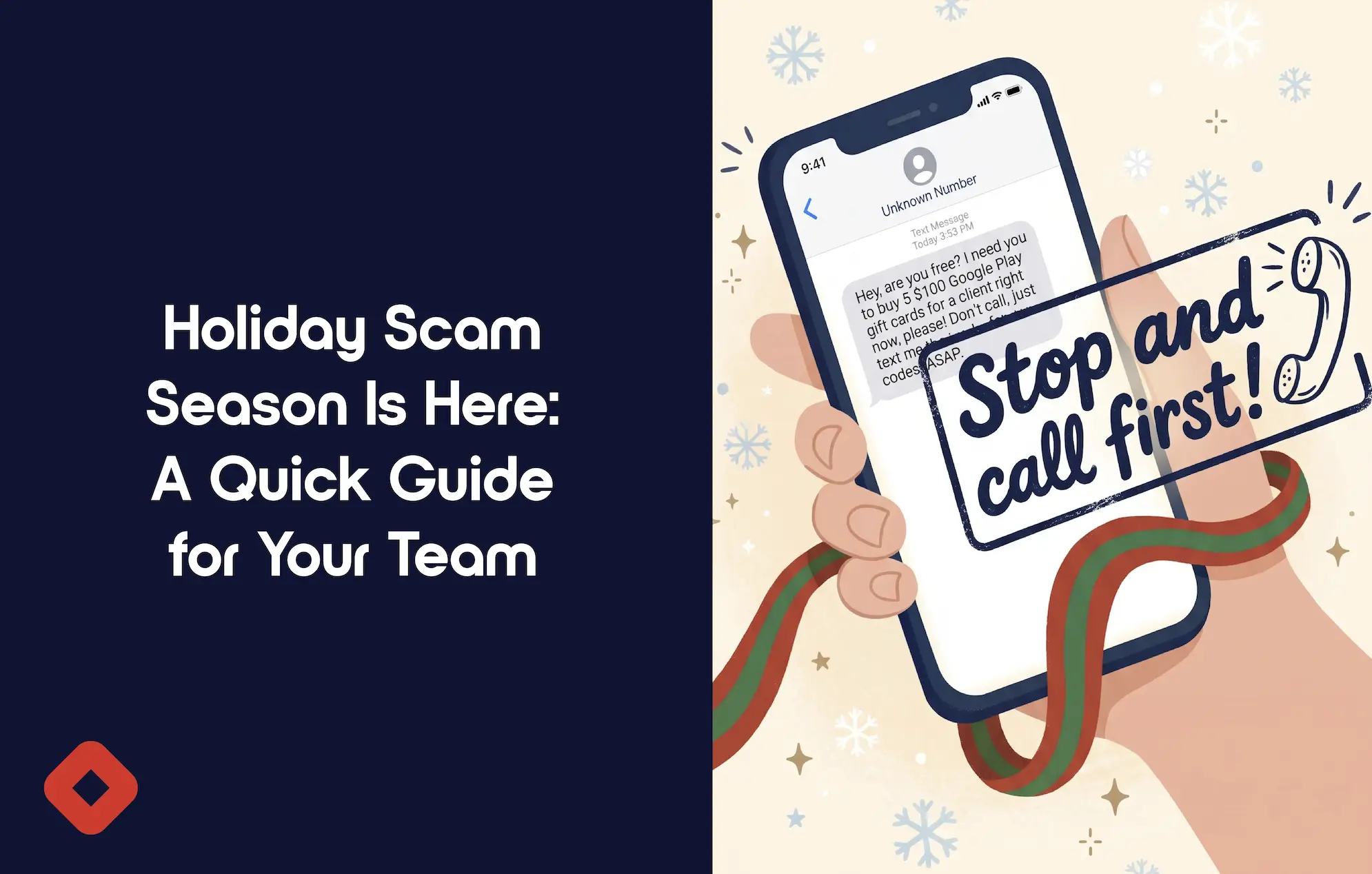
1. The “Can you grab some gift cards?” request
It usually arrives as a short email or text that looks like it’s from the owner, executive director or a manager: *”Are you at your desk? I need a quick favour. Can you pick up some gift cards for client thank-yous? I’m in meetings, just send me the codes.”*
It feels believable in December, when people really do buy gifts for staff and clients. But no real boss needs gift card codes sent by email or text.
What to do:
- Make it a simple rule: gift cards are never bought or sent based on an email or text alone.
- Check by calling the person on a number you already have, not one in the message.
- Tell your team now, before the message lands, so they know it’s okay to say “let me call you first.”
2. Fake delivery notices
With so many packages moving this time of year, a text saying *”Your parcel couldn’t be delivered, confirm your address here”* doesn’t seem strange. The link leads to a fake page that asks for a small “redelivery fee,” which is really a way to steal card details, or to a login page that grabs passwords.
What to do:
- Don’t click links in unexpected delivery texts or emails. Go to the shipper’s website directly and type in the tracking number yourself.
- Be extra careful with company cards. A small fee is often the hook for a much bigger problem.
3. “We’ve changed our banking details”
This one costs businesses the most. A vendor you really work with appears to send a friendly note: *”Please update our banking info for your next payment.”* Sometimes the email comes from a lookalike address, and sometimes from the vendor’s real account after it has been broken into. Year-end, when invoices pile up, is prime time.
What to do:
- Never change payment details based on an email alone. Call the vendor on a number from an old invoice or your own records.
- Have a second person sign off on any change to where money is sent.
- Watch for urgency, such as “please process today,” and for small spelling changes in email addresses.
4. Deals that are too good to be true
Holiday sales bring out fake online stores and “limited time” offers that show up in ads and social feeds. When staff shop on work devices or use work email to sign up, the risk spills over into your business.
What to do:
- Encourage personal shopping on personal devices.
- Remind staff not to reuse their work password anywhere else.
- If a site looks off, with odd pricing, no real contact info or pressure to pay right away, walk away.
5. Charity appeals that aren’t what they seem
This is a generous season in Northwestern Ontario, and scammers take advantage of that. Watch for urgent donation requests from groups you’ve never heard of, or messages pretending to be a cause you already support.
What to do:
- Give through the charity’s own website or contacts you already know.
- Be cautious with any appeal that asks for gift cards, wire transfers or cryptocurrency.
Five-minute team huddle
You don’t need a big training program to make a difference. Before the holidays, take five minutes at a staff meeting and cover:
- Slow down. Urgency is the scammer’s favourite tool.
- Verify another way. Pick up the phone using a number you already trust.
- Gift cards and banking changes always get a second check. No exceptions.
- Report it, don’t hide it. If someone clicks something they shouldn’t have, they should tell someone right away. Fast reporting turns a big problem into a small one, so make sure nobody feels embarrassed to speak up.
- Turn on two-step sign-in for email and banking if it isn’t on already.
If something slips through
It happens to careful people too. If someone on your team shared a password, clicked a bad link or sent a payment that doesn’t look right:
- Change the affected password right away, and anywhere else it was used.
- Call your bank immediately if money or card details were involved. Speed matters.
- Report the scam to the Canadian Anti-Fraud Centre.
- Let your technology partner know so they can check for anything else that was affected.
Enjoy the season, safely
A little awareness goes a long way. A quick conversation with your team this week could save you a lot of money, and a stressful start to the new year.
If you’d like help preparing your team for scam season, or a second set of eyes on a suspicious message, the Brickhost team is always happy to help. Give us a call at (807) 333-0151 or email support@brickhost.com.